Switches and L3 hardware➧
Overview
The switch page shows all ports with their state, VLANs, traffic, errors and MAC addresses, lets you manage ports, run cable and SFP diagnostics. For L3 hardware ARP, FDB and direct route tables are also available.
Supported: D-Link, Edge-core, Huawei, Cisco, Juniper, HP/HPE, Dell, Eltex, Raisecom, TP-Link, Mikrotik (SwOS/CRS), Arista and others — see Supported hardware. Available data and actions depend on the model.
Components
Viewing — Switches (switches), L3 tabs — Routers (routers); device and port actions — Switches control (switches_control); charts — Charts, Live traffic; FDB history — FDB history.
Common page elements (left panel, "Events", "Macros", "History log", "Topology", "Pinger" tabs, etc.) are described on Device list and device page.
Device actions➧
Buttons under the left panel:
| Button | Action | Permission |
|---|---|---|
| Refresh | Request fresh data from the hardware | — |
| Reboot device | Reboot the switch (with confirmation) | Allow reboot device |
| Clear counters | Reset traffic and error counters on all ports | Allow clear counters |
| Save config on device | Write the current configuration to the switch memory | Allow save config |
Buttons are shown if the model supports the action, the switch control component is enabled and you have the permission.
"Ports" tab➧
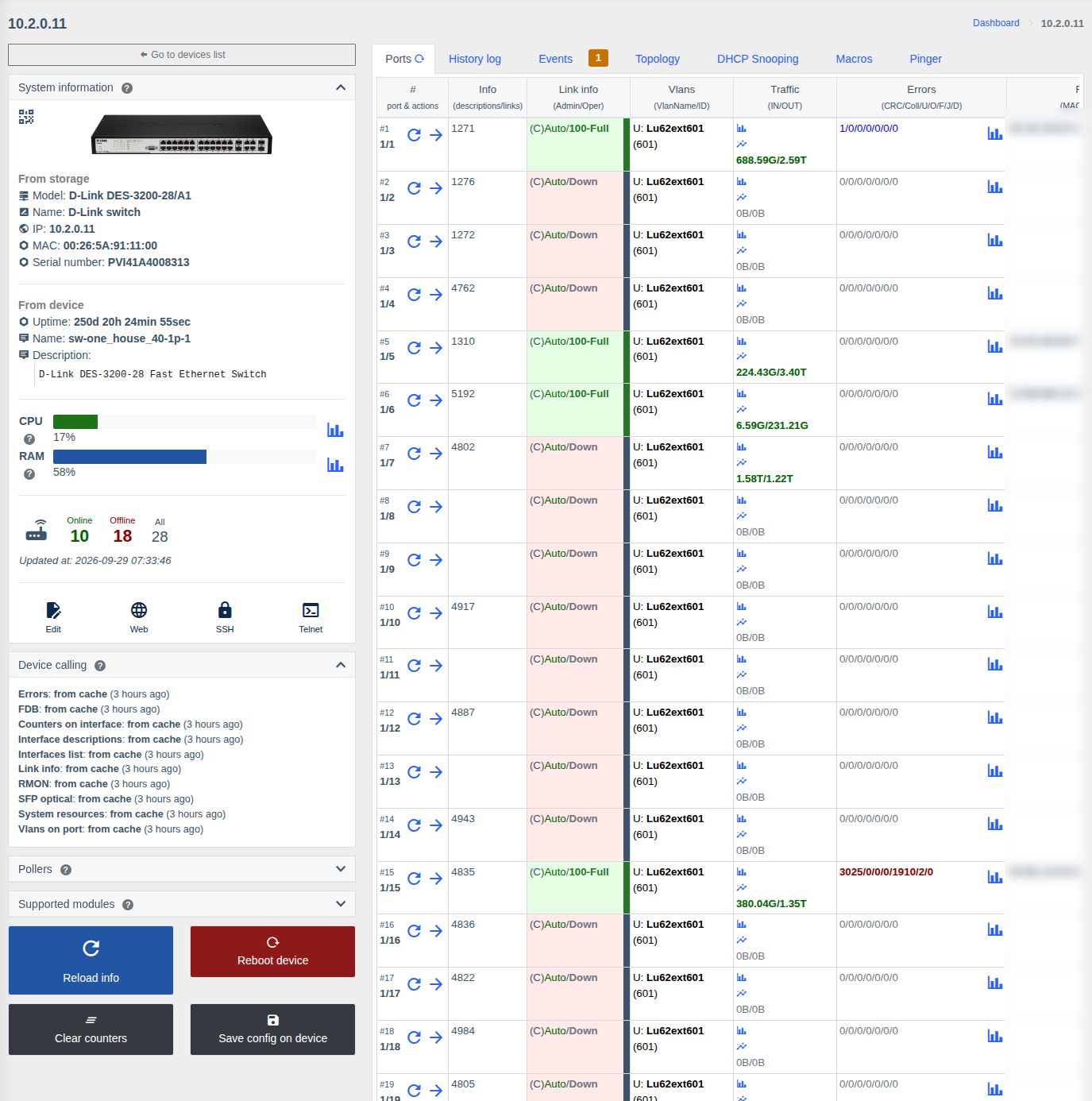
All ports in one table:
| Column | What it shows |
|---|---|
| # | Port number and name; buttons refresh port data and go to the port page |
| Info | Port description and links to other devices |
| Link info | Admin state / link state and speed-duplex, e.g. (C)Auto/100-Full (C — copper, F — fiber). Color: green — link up, red — no link |
| VLANs | VLANs on the port: U — untagged, T — tagged, with name and number |
| Traffic | In/out volume; icons — chart for a period and live chart |
| Errors | CRC / Collisions / Undersize / Oversize / Fragments / Jabbers / Drops; change since the previous poll; chart |
| FDB | MAC addresses on the port |
| Diagnostics | Cable and SFP diagnostics result (if the model supports it) |
The refresh button next to the tab name or "Refresh" on the left panel requests fresh data from the hardware.
VLANs tab
For some D-Link models with the "VLAN control" permission a "VLANs" tab with a "port × VLAN" matrix may be shown. It currently works in view mode only — VLANs on ports are shown in the "VLANs" column of the port table. To change VLANs use macros or the console.
L3 hardware tabs➧
For routers and L3 switches (except Mikrotik RouterOS — see its own page):
| Tab | What it shows |
|---|---|
| Ports | Same as for a switch |
| ARPs | ARP table: IP ↔ MAC ↔ interface/VLAN |
| FDB | MAC table of the whole device |
| Direct routes | Networks directly connected to interfaces |
| BGP sessions | Router BGP peers — see below. Shown if the model supports BGP |
BGP sessions➧
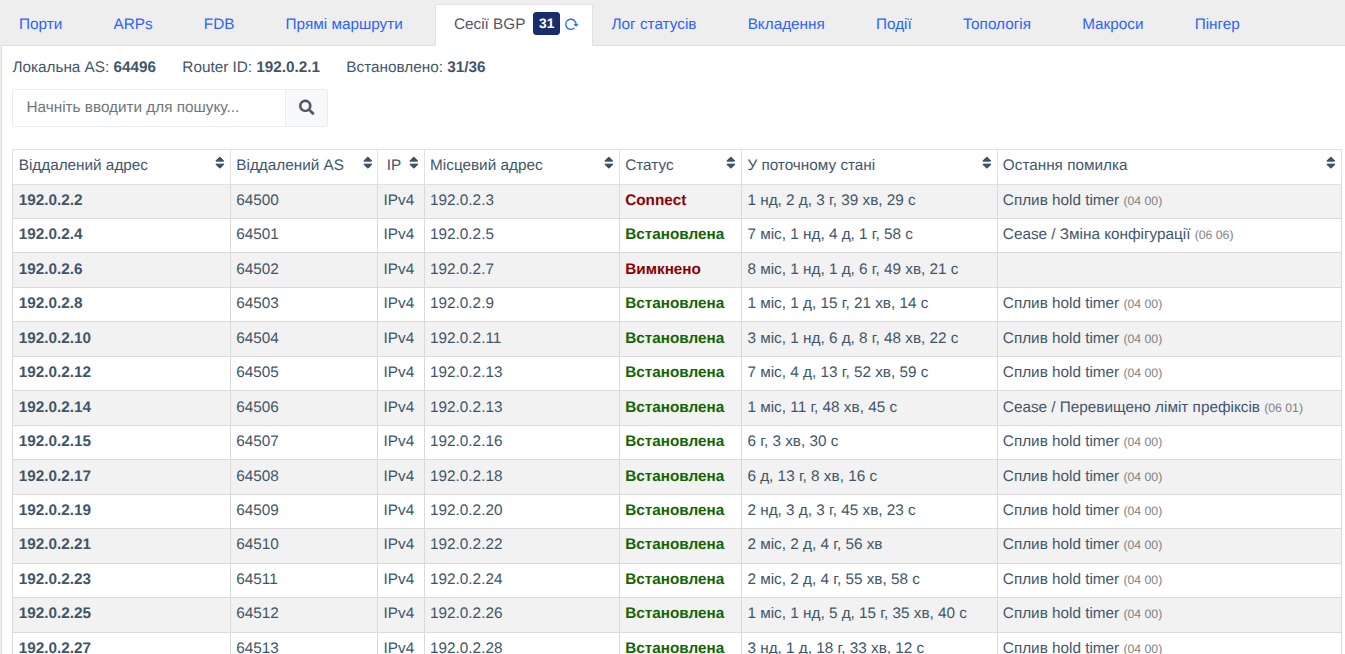
The "BGP sessions" tab is available for Juniper routers (JNP204, MX80, QFX5100), Extreme XOS and Mikrotik RouterOS (on the RouterOS page). The counter on the tab is the number of established sessions.
Above the table — Local AS, Router ID and Established (established sessions / all sessions).
| Column | What it shows |
|---|---|
| Remote address | BGP peer address |
| Remote AS | Peer AS |
| IP | IPv4 or IPv6 |
| Local address | Local address of the session |
| Status | Established, BGP state (Idle, Connect, Active, OpenSent, OpenConfirm) or Disabled (administratively disabled session) |
| In current state | How long the session has been in its current state (uptime for an established one) |
| Last error | Last NOTIFICATION message with a readable description (e.g. "Hold timer expired", "Cease / Configuration change") and the error code in brackets |
The table can be sorted and filtered by address, AS, IP version and state.
Monitoring and events
For Juniper and Extreme the background bgp_sessions poller is enabled by
default (every 5 minutes; the interval is changed in the model).
It exports session state and uptime metrics to Prometheus and creates events
when a session goes down/up, flaps (re-establishes), is changed or removed. Reconnect attempts of a
down session (Idle → Connect → Active) don't create separate events.
Port page➧
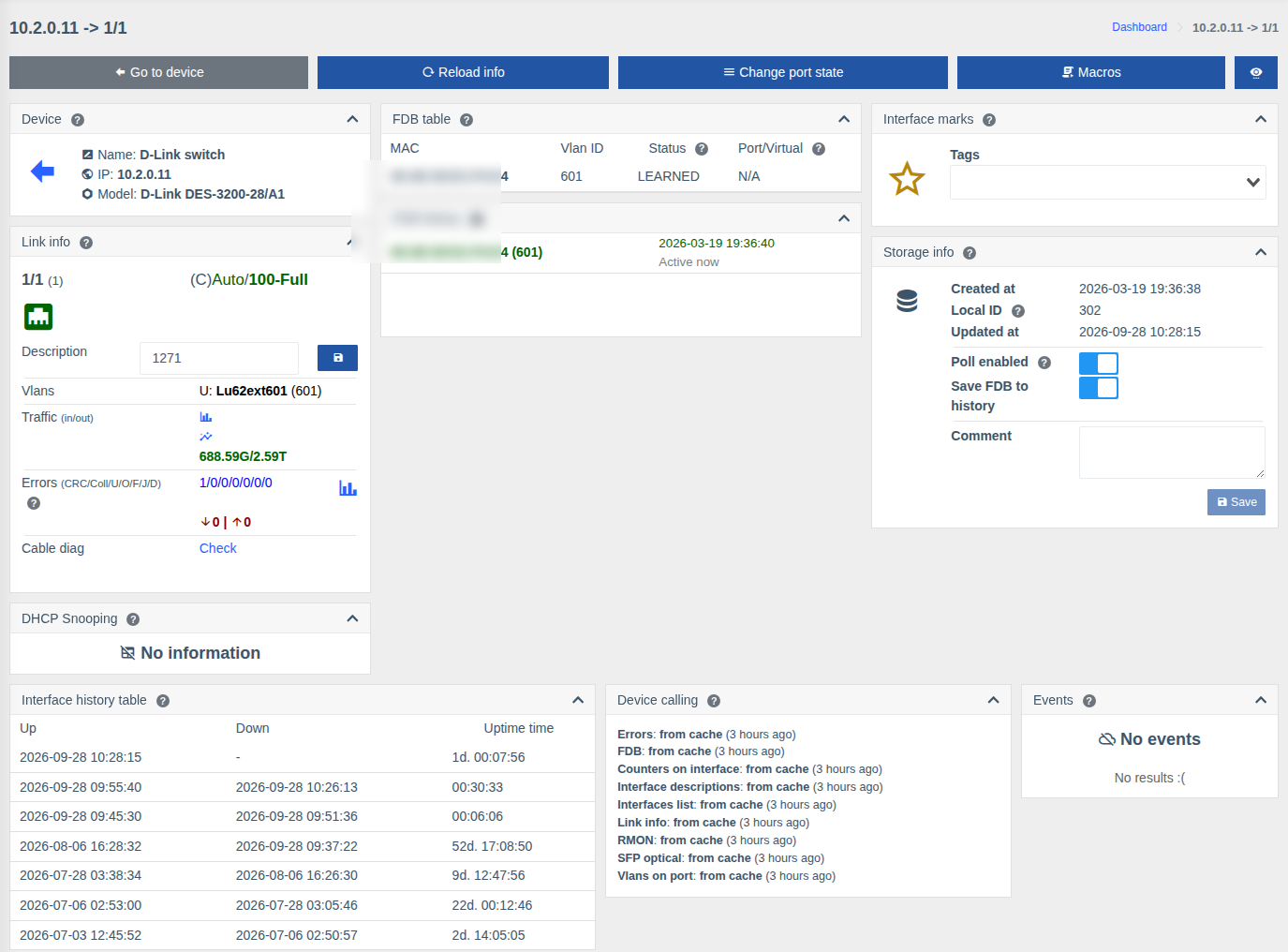
Top buttons:
| Button | Action | Permission |
|---|---|---|
| Go to device | Back to the switch page | — |
| Refresh | Request fresh port data | — |
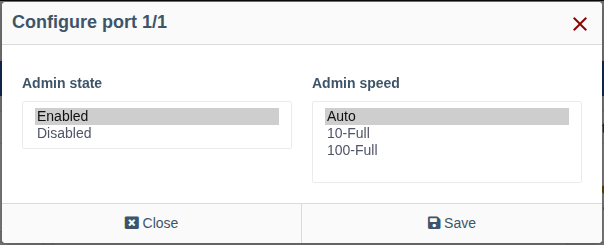
| Change port state | The "Port configuration" form: Admin state (Enabled / Disabled) and Admin speed (Auto or a fixed speed-duplex — options depend on the port, e.g. 10-Full, 100-Full) | Allow set admin state, Allow set admin speed |
| Clear counters | Reset the port counters | Allow clear counters |
| Macros | Run a macro for the port | List and execute macros |
Port cards:
| Card | What it shows |
|---|---|
| Link info | Name, link state and speed, description (can be changed and saved — "Allow set description" permission), VLANs, traffic and errors with charts, error change since the previous poll |
| Cable diag | The "Check" button runs cable diagnostics: state of each pair and distance to a break/short. Automatic run when opening the port is enabled with enable_auto_cable_diag |
| Optical info (SFP) | For optical ports: RX/TX levels, temperature, voltage, laser bias current, BiDi/WDM channels, RX noise, module details |
| LACP interfaces | For aggregated links — physical ports in the aggregation, with links |
| DHCP Snooping | MAC/IP bindings on the port — DHCP Snooping |
| FDB table / FDB history | MAC addresses on the port now and history |
| Uptime table | Port Up/Down history |
| Common cards | Marks, storage, billing, topology, events, links, coordinates, QR — see Port or ONU page |
Note
On some hardware cable diagnostics briefly drops the link on the port.
Permissions➧
| Action | Permission |
|---|---|
| Viewing the switch and ports | Info from switches |
| Device reboot | Allow reboot device |
| Saving configuration | Allow save config |
| Clearing counters | Allow clear counters |
| Changing port description | Allow set description |
| Enabling/disabling a port | Allow set admin state |
| Changing port speed | Allow set admin speed |
| "VLANs" tab (view) | VLAN control |