ICMP devices and Pinger➧
Overview
Pinger monitors the availability of any device over ICMP (ping) and calculates the availability percentage and outage history. ICMP devices are a separate device type for hosts WildcoreDMS doesn't work with over SNMP: servers, cameras, subscriber routers, access points, etc.
Component
Pinger (pinger).
ICMP devices➧
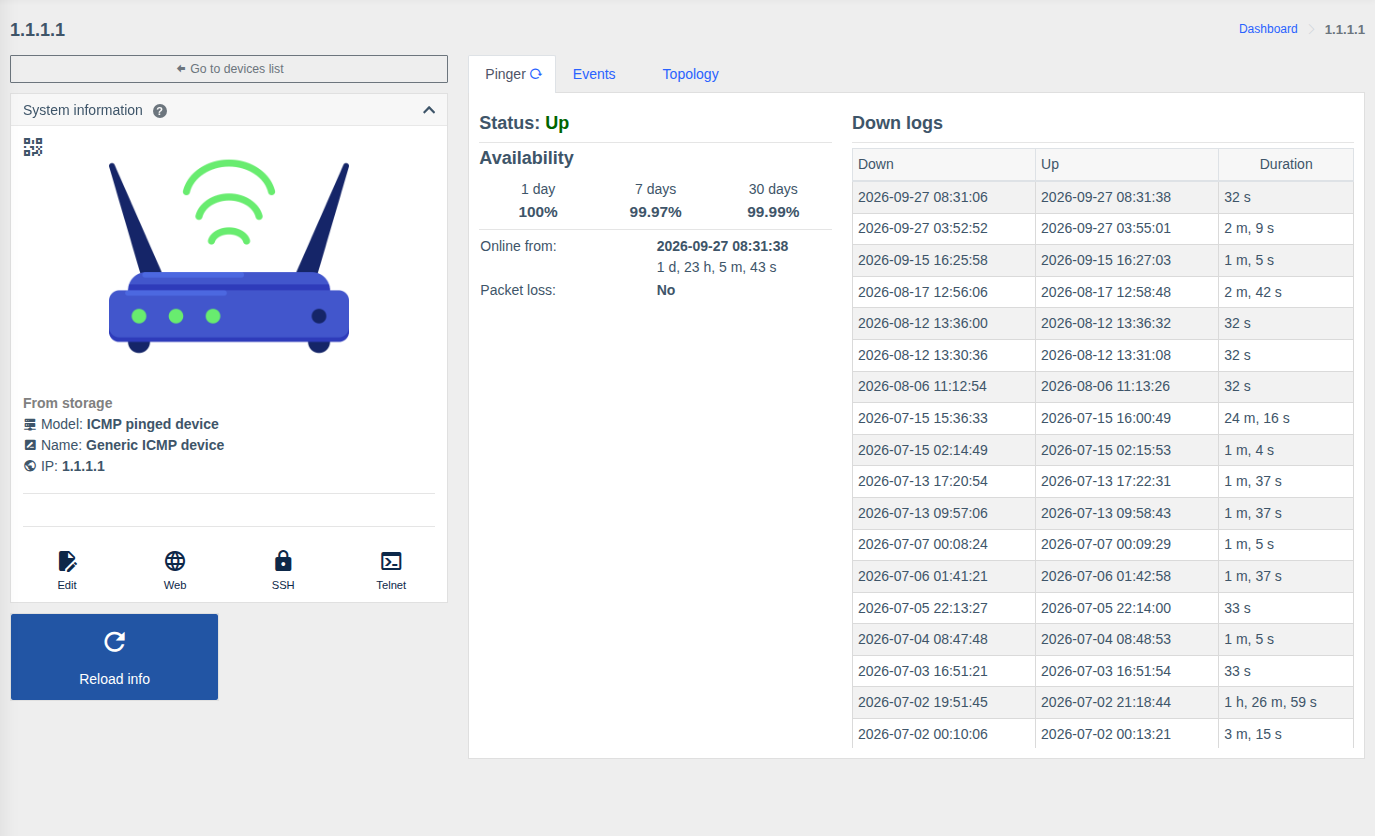
To monitor the availability of any host:
Device management > Devices→ "Add device".- Enter the IP and any access (credentials aren't used for ICMP).
- Choose the model manually: ICMP pinged device (the "Get info from device" button isn't needed). For Ping3 devices choose the corresponding model.
- Save.
The ICMP device page has the Pinger, Events and Topology tabs. Such a device can be put on the map, linked to other hardware (e.g. as a switch downlink) and trigger notifications when it's unavailable.
"Pinger" tab➧
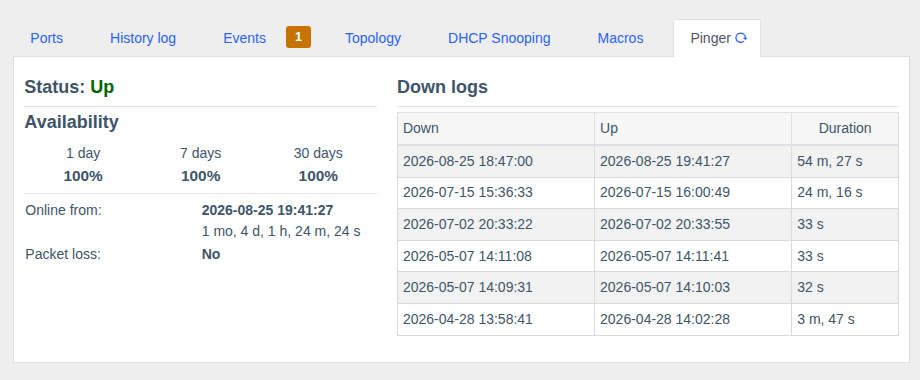
The tab is on the page of any device:
| Value | Description |
|---|---|
| Status | Current state: Up / Down |
| Availability | Percentage of time the device was available for 1 day, 7 days and 30 days |
| Online since / Offline since | When the device last changed state and how long it has been in the current state |
| Packet loss | Whether packet loss is detected |
| Down logs | Each outage: when it went down (Down), when it came back (Up), duration |
How it works➧
- Availability is checked constantly by a background service for all enabled devices.
- An ICMP outage creates a "device unavailable" event, which triggers notifications.
- Before accessing hardware over SNMP/console WildcoreDMS pings it — to show "unavailable" right away
instead of waiting for a timeout (the
SWC_CHECK_ICMP_PINGparameter, see System configuration). - Disabled devices are not checked.
Tip
The network firewall between the WildcoreDMS server and the hardware must allow ICMP echo-request/reply.