Working with OLTs➧
Overview
The OLT page gathers everything about the PON network: the ONU tree by ports, physical interfaces, new ONU registration, DHCP Snooping, the blacklist. From here you go to a PON port, physical port or specific ONU page.
Supported OLTs: Huawei MA56xx/MA58xx, ZTE C3xx/C6xx, BDcom P3xxx/GP3600, C-Data, V-Solution, GCOM — full list in Supported hardware. Available data and actions depend on the model.
Components
The OLT page comes from the OLTs component (olts), port actions — OLTs control (olts_control), registration — ONT registration (onts_registration), charts — Charts and Live traffic.
Common page elements (left panel, "Events", "Macros", "History log" tabs, etc.) are described on Device list and device page.
OLT tabs➧
| Tab | Purpose |
|---|---|
| ONTs tree | PON ports and their ONUs |
| Interfaces/cards | All physical OLT ports: uplinks, PON ports |
| Unregistered ONTs | New ONUs waiting for registration |
| DHCP Snooping | MAC/IP/VLAN bindings by ONU |
| ONU blacklist | ONU blacklist |
| Events, Macros, History log, Attachments, Topology, Config backup, Pinger | Common tabs |
ONTs tree➧
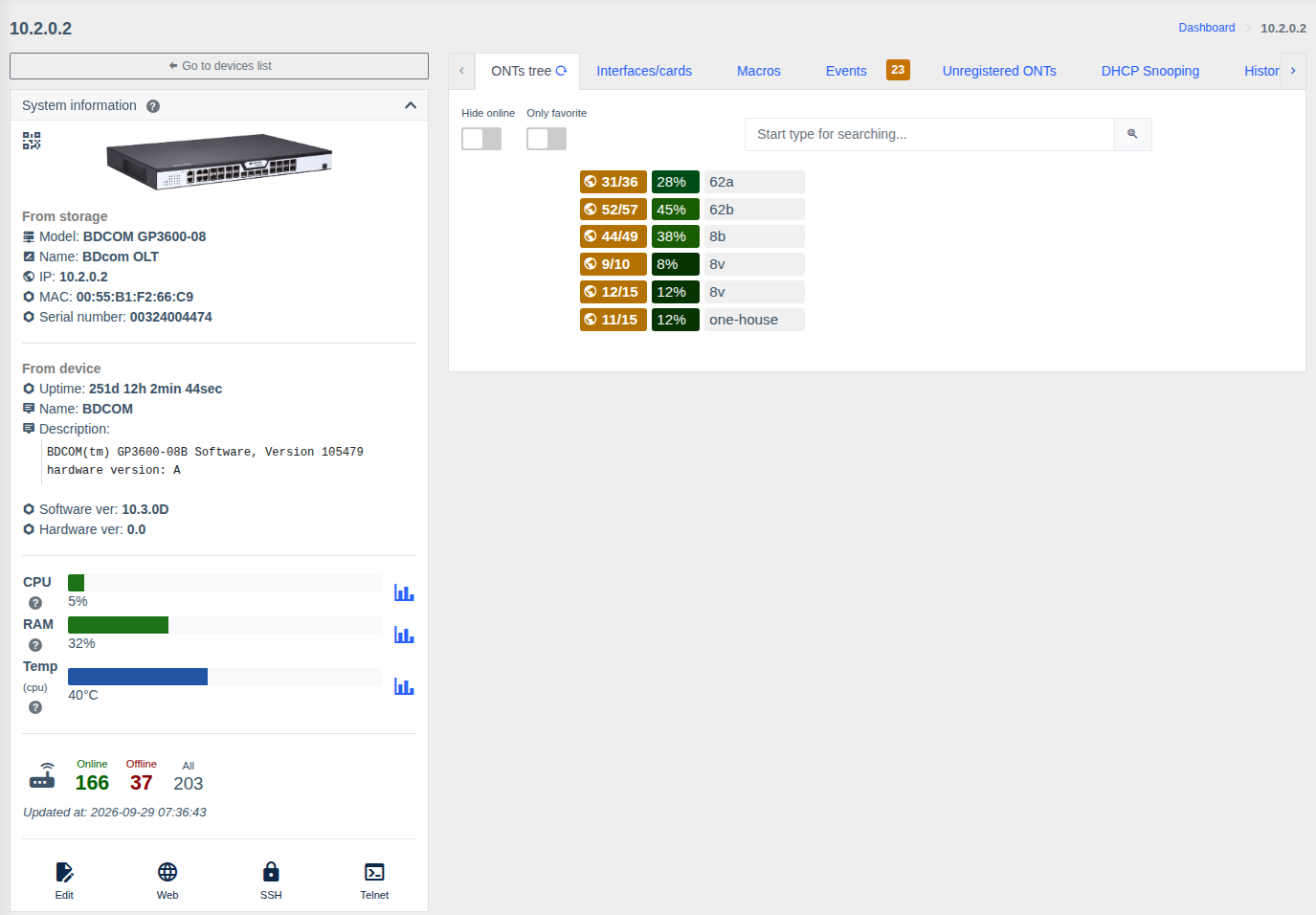
Each row is a PON port:
- ONUs online / total on the port (
31/36); - port fill level — ONU count relative to the port maximum (e.g. 36 of 128 = 28%); the color changes as the port gets full;
- port description.
Click a port to expand its ONUs with status, serial/MAC, description and signal level. Clicking an ONU opens its page.
Above the tree:
| Element | Purpose |
|---|---|
| Hide online | Show only ONUs that are not online — quick outage lookup |
| Only favorites | Show only favorite ONUs |
| Filter | Search ONUs by interface name, serial/MAC, description |
Interfaces/cards➧
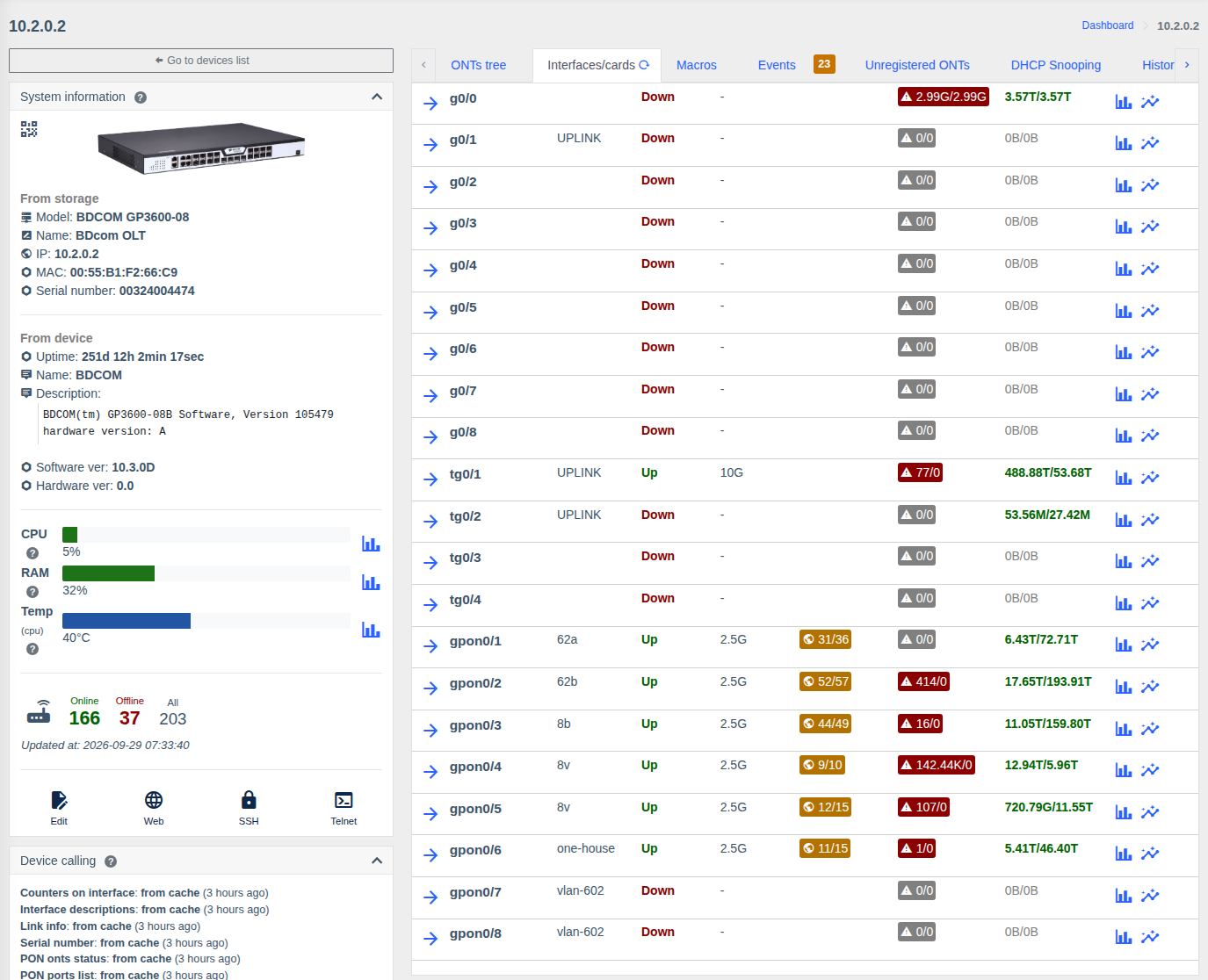
A table of all physical OLT ports (Ethernet uplinks and PON ports):
| Column | Description |
|---|---|
| Name and description | The arrow opens the port page |
| Status, speed | Link state and current speed |
| ONU statistic | For PON — ONUs online/total |
| Errors | Error count (red — there are errors) |
| Traffic | In/out volume; icons — chart for a period and live chart |
| Actions | Configure port (description, admin state) and Reset port — port off/on with reset (if the model supports it and you have the "Allow control PON/physical ports" permission) |
Unregistered ONTs➧
ONUs connected to the OLT but not yet registered: port, serial/MAC and other data reported by the OLT. The "Register" button opens the registration form based on your template. The list is refreshed on schedule and when the tab is opened. Setup — ONU registration.
PON port page➧
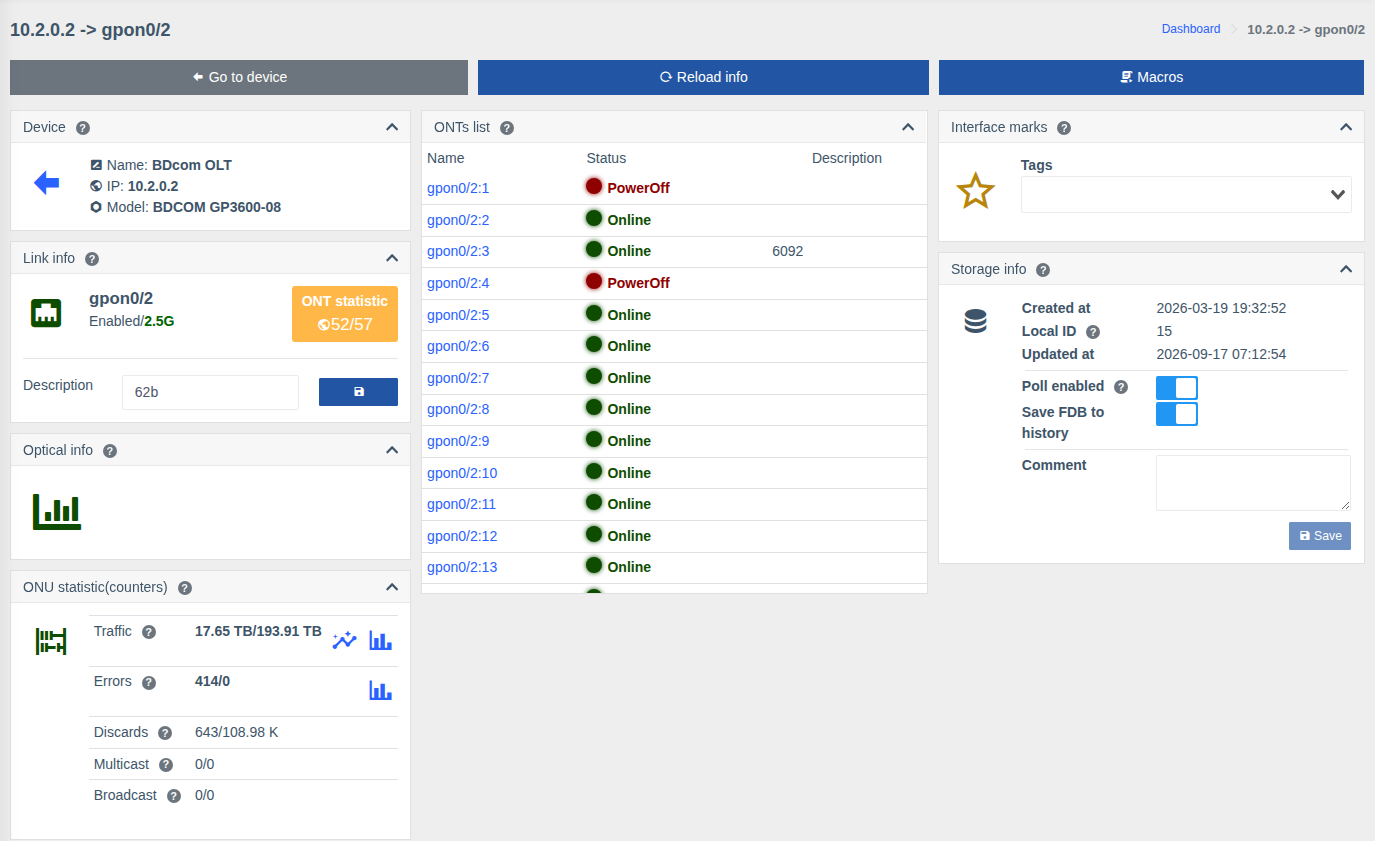
Opens from the ONTs tree or the physical interfaces table.
| Card | What it shows |
|---|---|
| Link info | Port name, state (Enabled/Disabled) and speed, ONU statistic (online/total), port description editing |
| ONUs list | All port ONUs with status (Online / Offline / LOS / PowerOff) and description, linked to each |
| Optical info | Port SFP module optics (if the model supports it) and a history chart |
| ONU statistic (counters) | Traffic, errors, discards, multicast, broadcast of the port with charts |
| Common cards | Marks, storage, uptime, topology, events, links, QR — see Port or ONU page |
Top buttons: Go to device, Refresh, Macros.
Local PON port descriptions
To keep a PON port description only in WildcoreDMS without writing it to the OLT, enable the
disable_save_description_on_physical_ifaces parameter.
Permissions➧
| Action | Permission |
|---|---|
| Viewing the OLT, ONU tree, ports | Info from OLTs |
| Configuring and resetting physical ports | Allow control PON/physical ports |
| ONU registration | Register ONTs |
| ONU actions | see ONU page |
Hardware actions require the OLT control component. See Roles and permissions.